
HyperTTS Extensions are text-to-speech services contributed by the community. They live in a separate GitHub repository, outside of the HyperTTS add-on itself, which means anyone can write their own service or modify an existing one. The repository even contains ready-made instructions for AI coding agents (such as Claude Code or Codex) so they can write a HyperTTS service for you.
As an end user, the benefit is simple: once extensions are enabled, you get access to additional TTS services which are not present in the base HyperTTS add-on, along with all of their voices.
One word of caution before you start: third party services are Python code which HyperTTS will run every time Anki starts, and they are not reviewed by the HyperTTS author. Only point HyperTTS at a directory you trust.
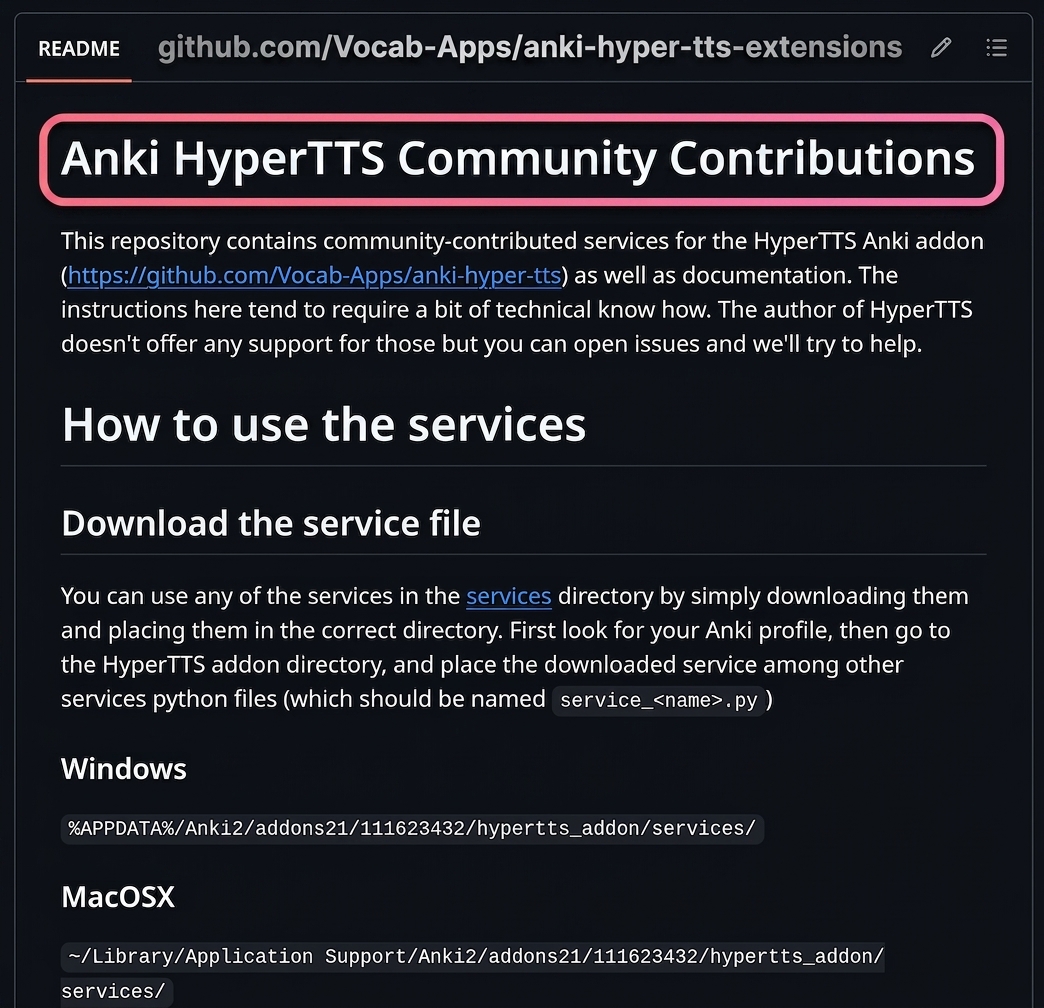
The extensions live on GitHub, in the Vocab-Apps/anki-hyper-tts-extensions repository. Open https://github.com/Vocab-Apps/anki-hyper-tts-extensions/ in your browser. The README on the front page describes the services which are currently available and how they are organized.
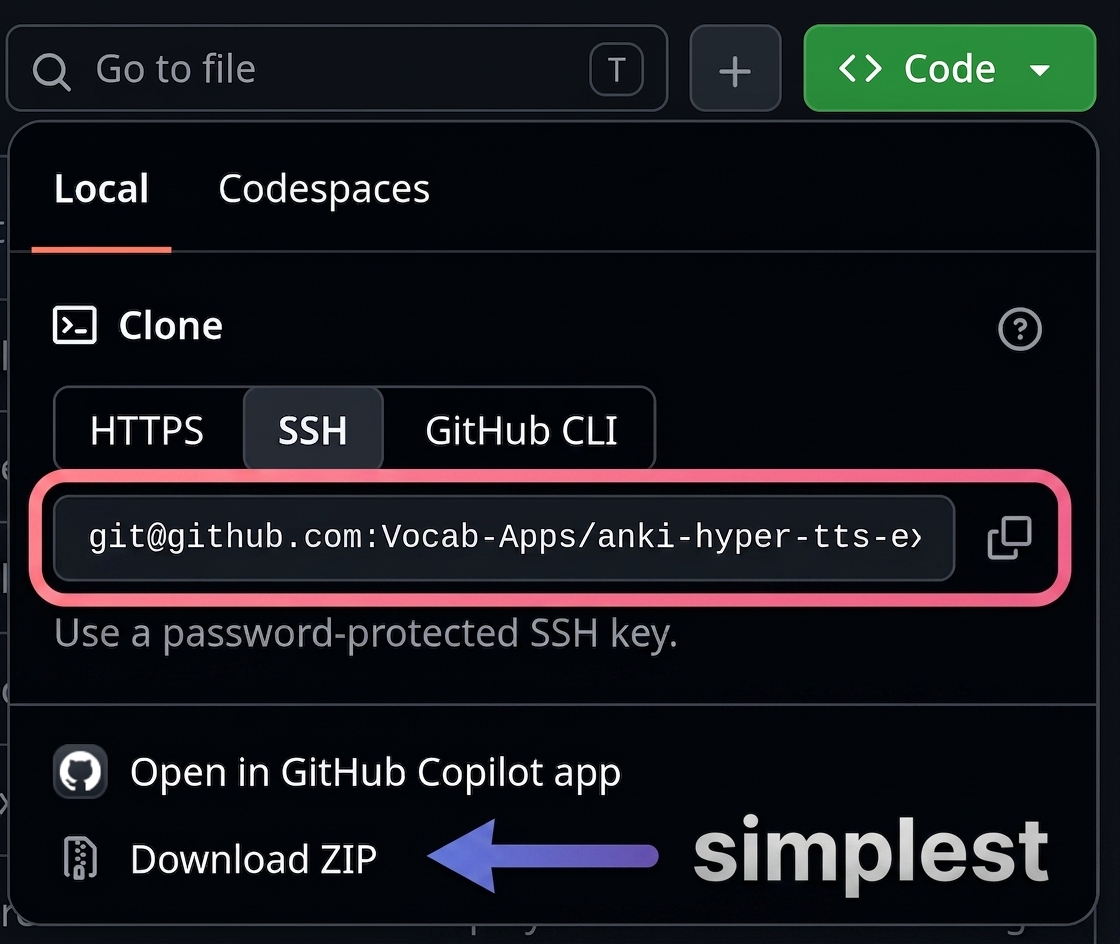
You need a copy of the repository on your own computer. Click the green Code button at the top right of the repository page, and choose Download ZIP. This is the simplest option. Extract the archive somewhere outside of your Anki add-ons directory, so that it survives HyperTTS upgrades.
If you would like to periodically update to the latest version, it's better to use the GitHub Desktop app, or to clone the repository with git:
git clone https://github.com/Vocab-Apps/anki-hyper-tts-extensions.git
You can then get new services and fixes later by running git pull in that directory.
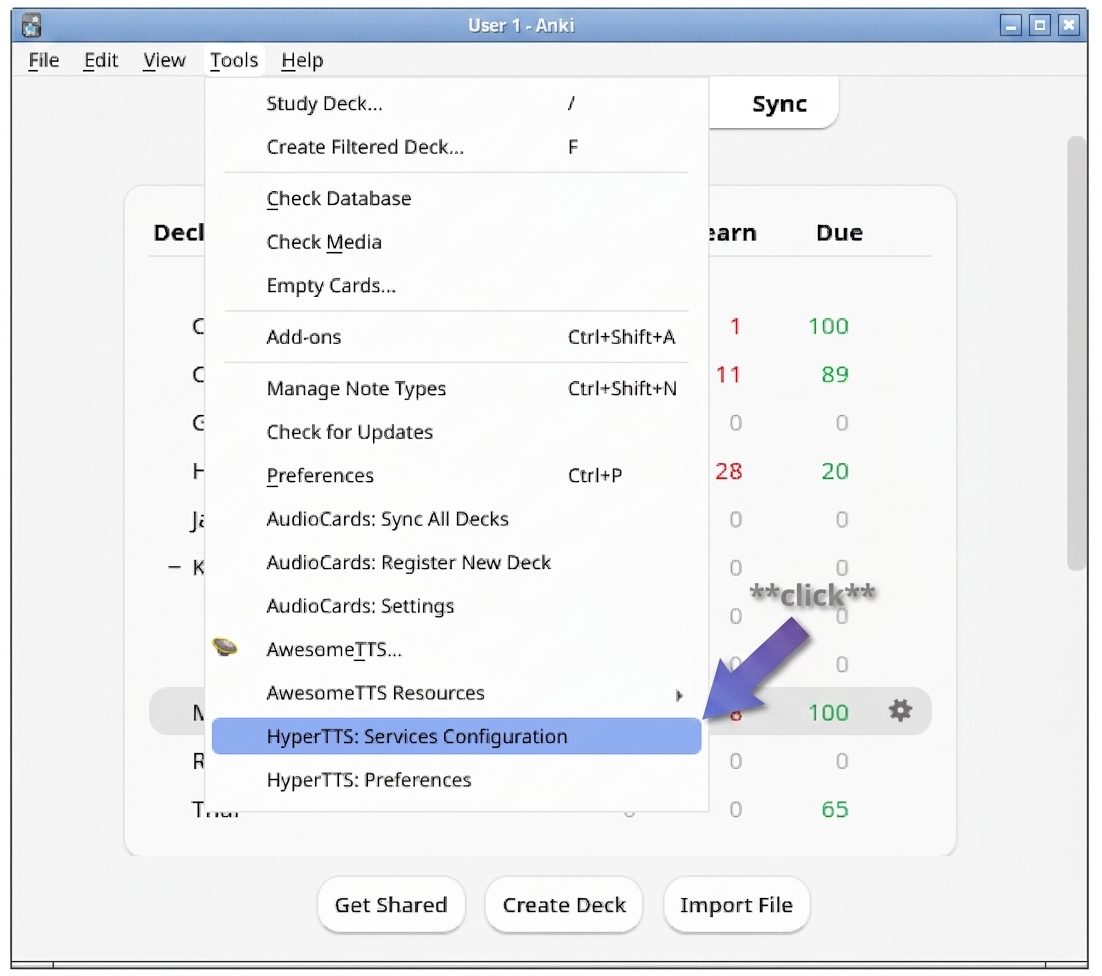
In Anki, go to the Tools menu and click HyperTTS: Services Configuration.
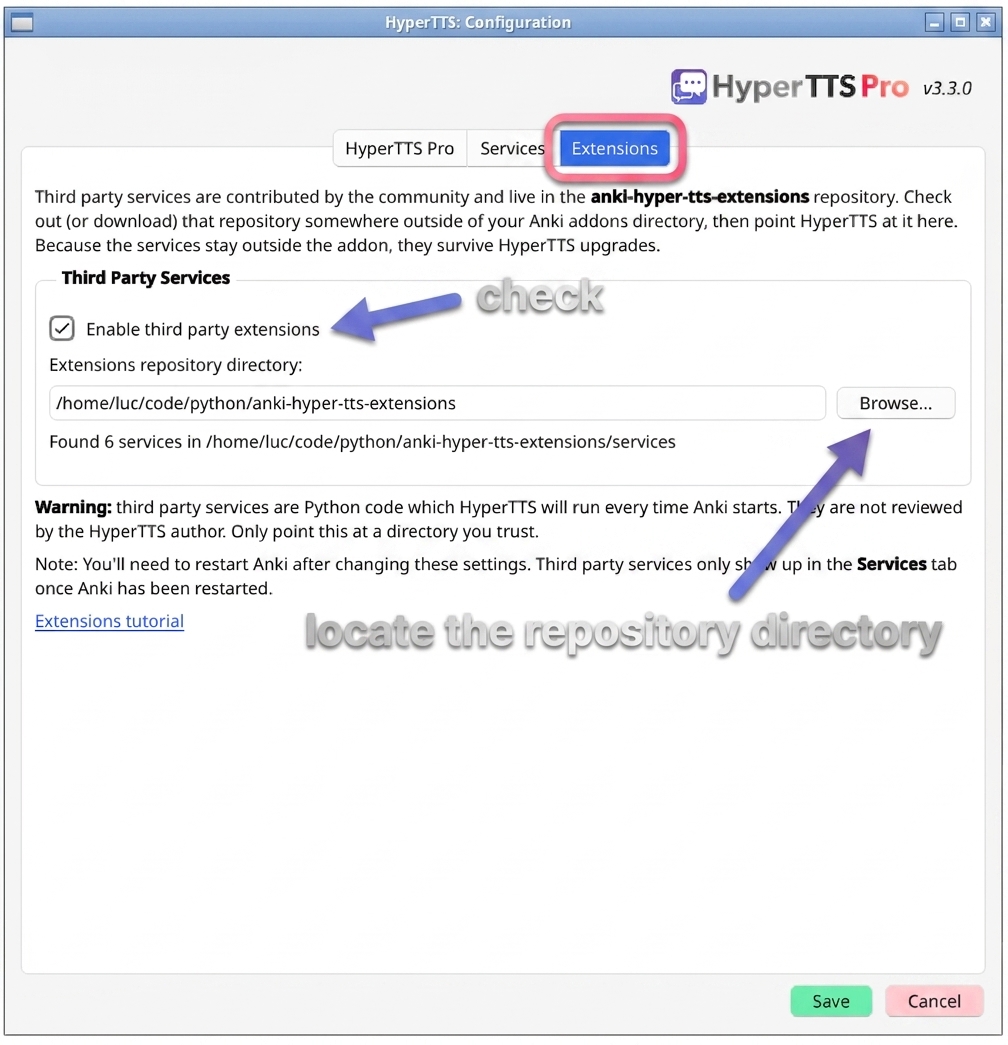
Go to the Extensions tab and check Enable third party extensions. Then click Browse... and locate the directory where you checked out (or extracted) the extensions repository. HyperTTS will confirm how many services it found in that directory.
Click Save, then restart Anki. The third party services only show up after Anki has been restarted.
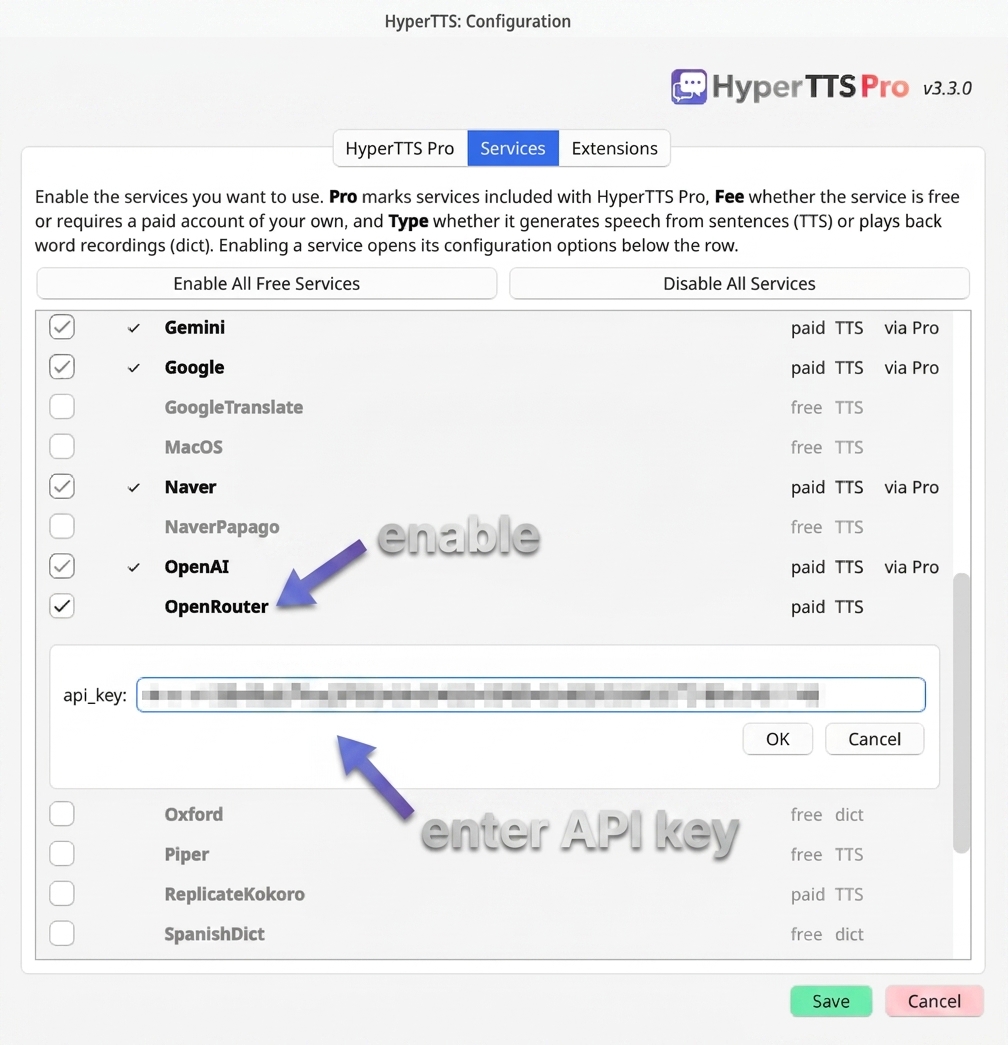
Once Anki has restarted, open Tools > HyperTTS: Services Configuration again and go to the Services tab. The additional services now appear in the list, alongside the built-in ones. Enable the ones you want by clicking the checkbox on the left of the service name.
Some services need additional settings, such as an API key from the provider. When you enable such a service, its configuration options open below the row: fill them in, click OK, and then click Save.
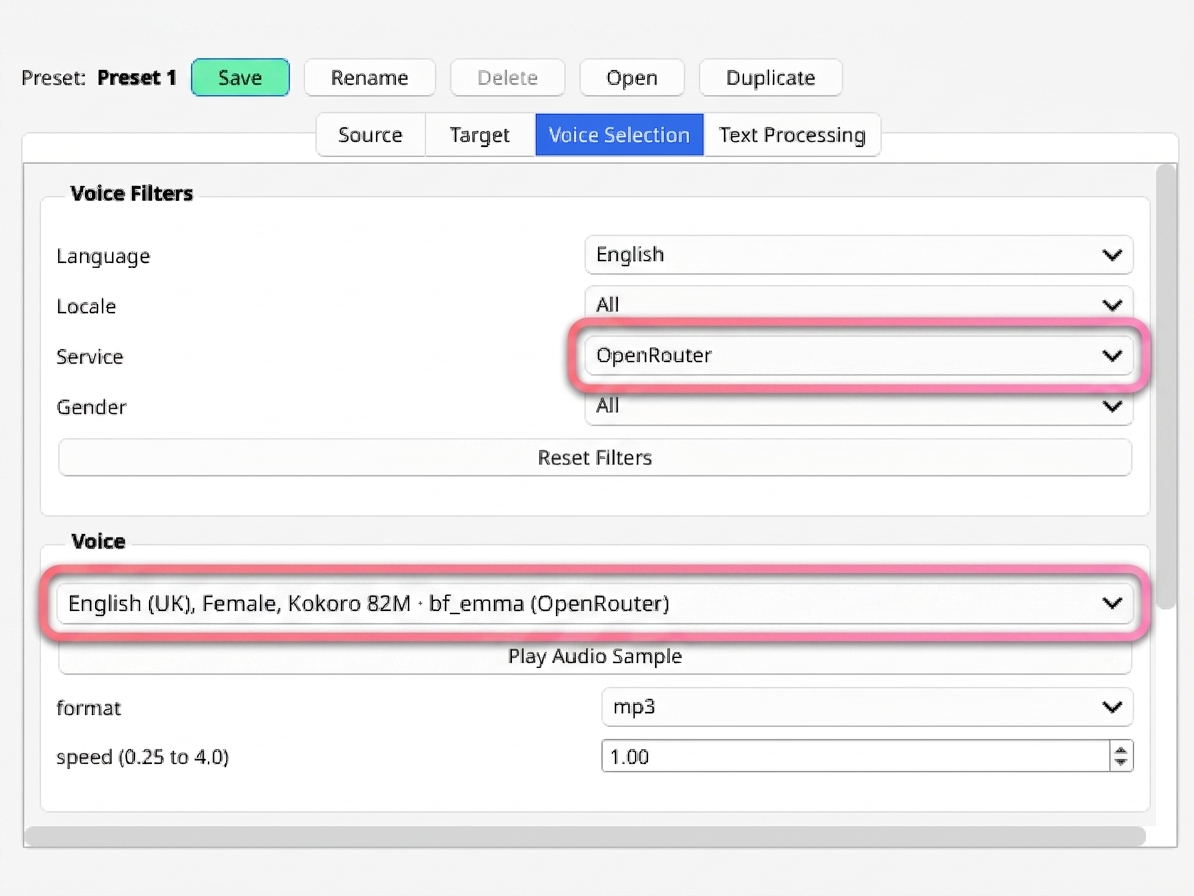
The voices provided by the services you just enabled now appear in your voice list. Open any HyperTTS preset and go to the Voice Selection tab: you can narrow the list down with the Service filter, then pick the voice you want and click Play Audio Sample to hear it.
Because the extensions are plain Python files kept outside of the add-on, you can also adapt one to your needs, or write a brand new service for a TTS provider which HyperTTS doesn't support yet. The repository documents how a service is structured, and includes instructions written for AI coding agents, so a tool like Claude Code or Codex can produce a working service for you. Contributions are welcome — the instructions do require a bit of technical know-how, and the author of HyperTTS doesn't offer support for community services, but you can open an issue on the repository and we'll try to help.
August 12, 2026
Can't find what you're looking for ? Please email help@mail.vocab.ai or chat with us and I'll try to help you out as soon as possible.