
In some cases, you may want to add pauses to the audio, at the beginning, the end, or in the middle. There are various reasons why one might want to do this:
Pauses can be added for all services that support SSML (Speech Synthesis Markup Language). Azure, Google, Amazon, Watson and others support SSML, and hence allow various customizations, but in this case we'll focus on a single SSML tag to introduce pauses. The syntax is . You can change the duration by using a larger number such as 800ms (800 milliseconds), or 3s (3 seconds). In the screenshot below, we've added a replacement rule to replace the slash with an SSML break statement. The audio will hence sound like "cram school <800ms pause> after school study".
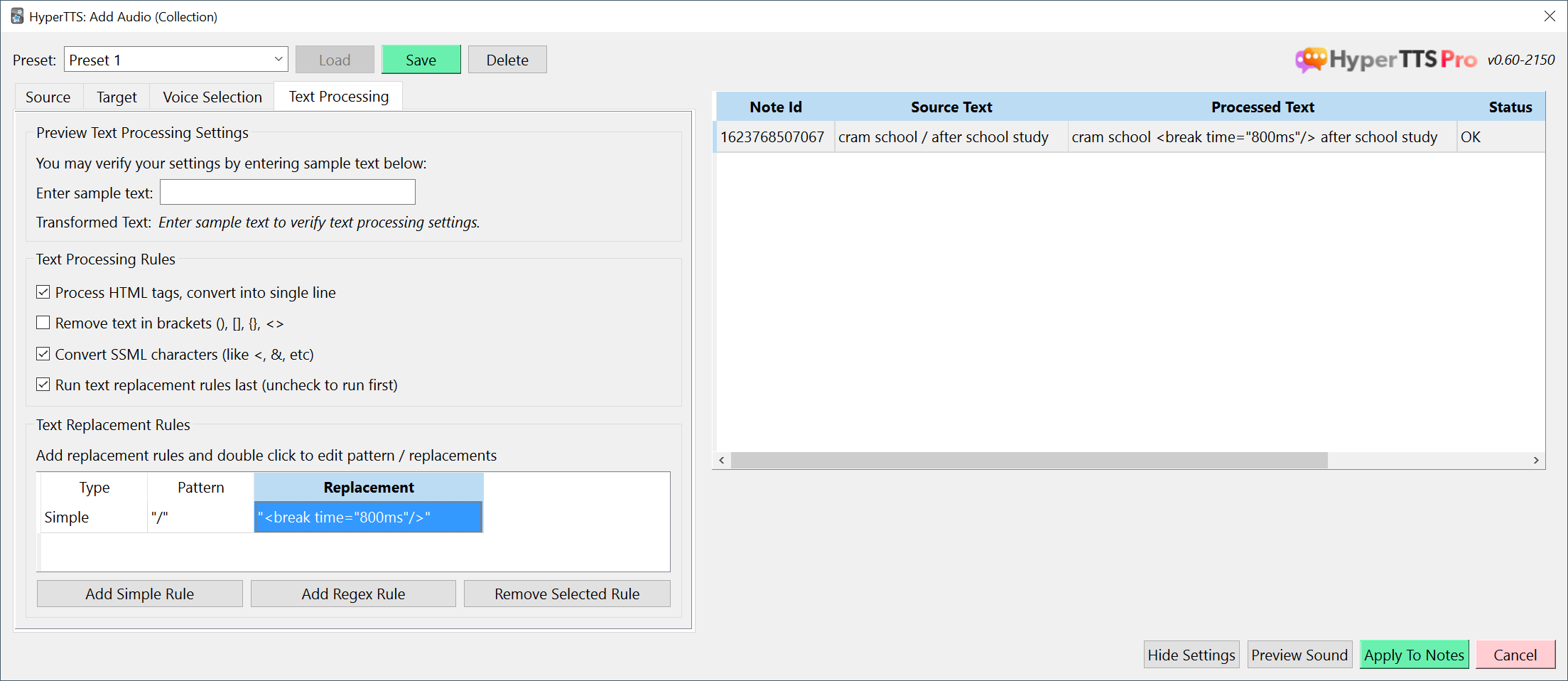
You can also systematically add a pause at the beginning, by adding a which replaces ^ with <break time="800ms"/>. You should see the SSML tag appear in the grid on the right side in the column to verify your replacement is correct. The audio preview should also confirm you've added the pause in the right place.
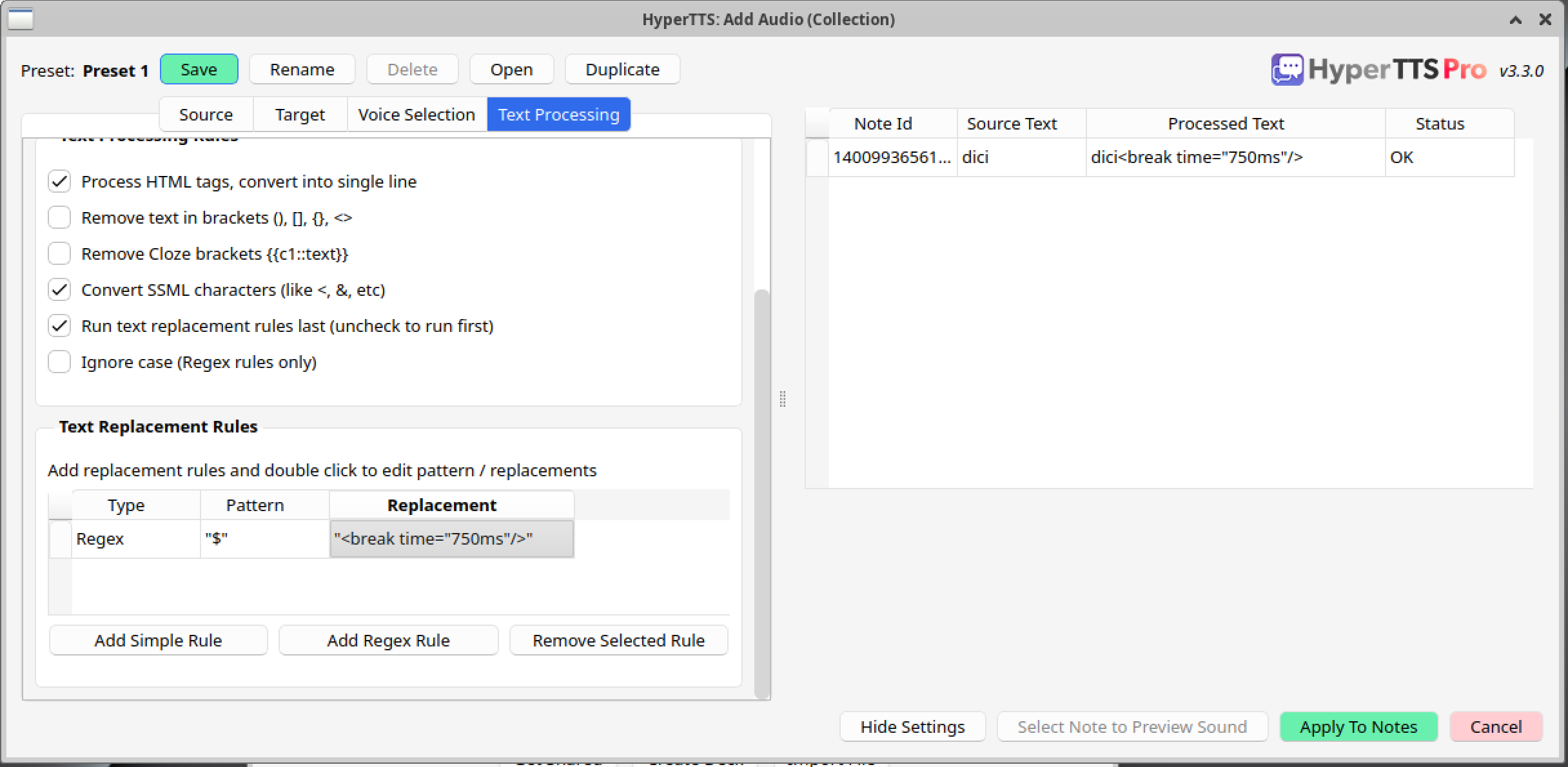
Conversely, if you want to add audio to the end, add a Regex Rule which replaces $ with <break time="800ms"/>. See on the example below:
August 17, 2026
Can't find what you're looking for ? Please email help@mail.vocab.ai or chat with us and I'll try to help you out as soon as possible.