
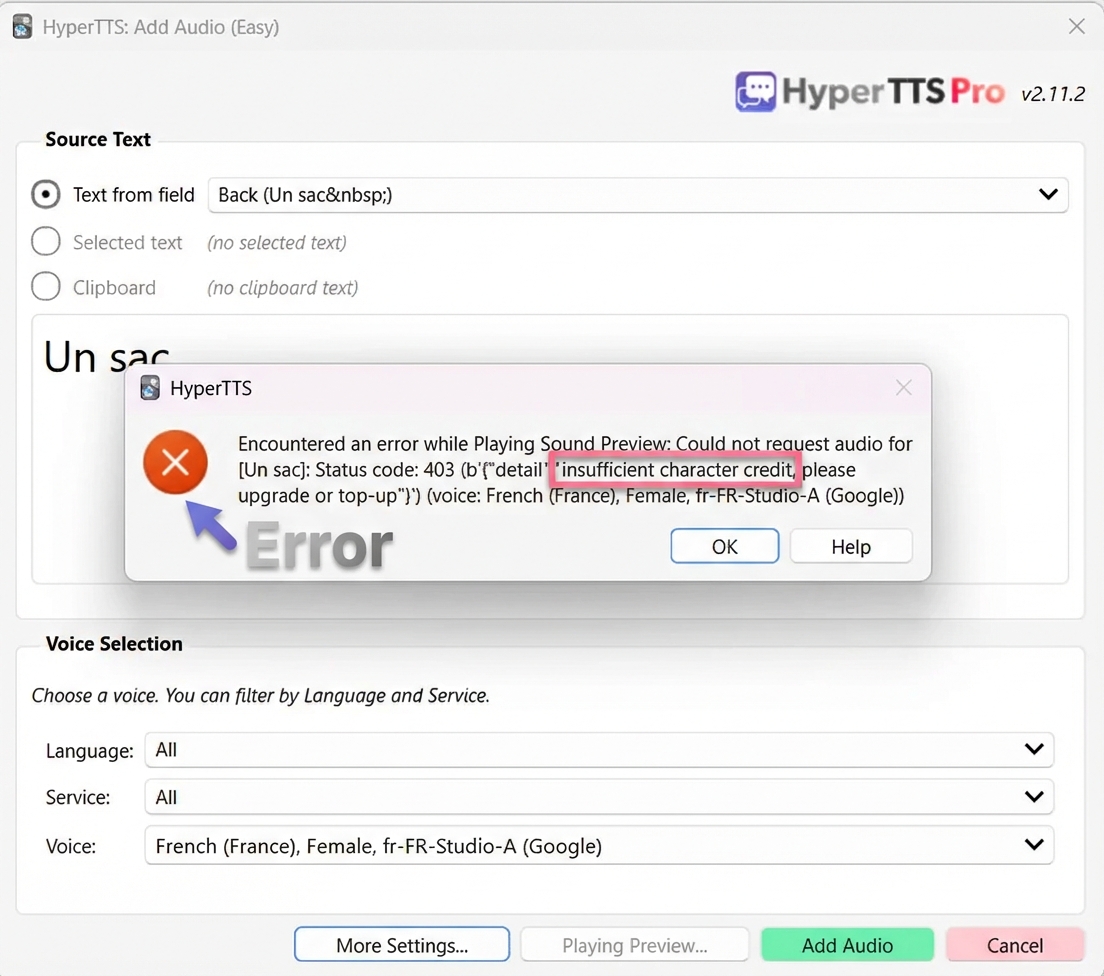
If you see the error message insufficient character credit when trying to generate audio in HyperTTS, it means your account has run out of character credits. This can happen if you're on a free trial and have used up your trial quota, or if your subscription has expired, or if you've used up all of your monthly credit or prepaid credit.
Don't worry — this is easy to fix. You can either subscribe to a monthly plan for ongoing usage, or purchase a one-time prepaid top-up.
When you try to preview or generate audio, HyperTTS will show an error dialog with the message: insufficient character credit, please upgrade or top-up.
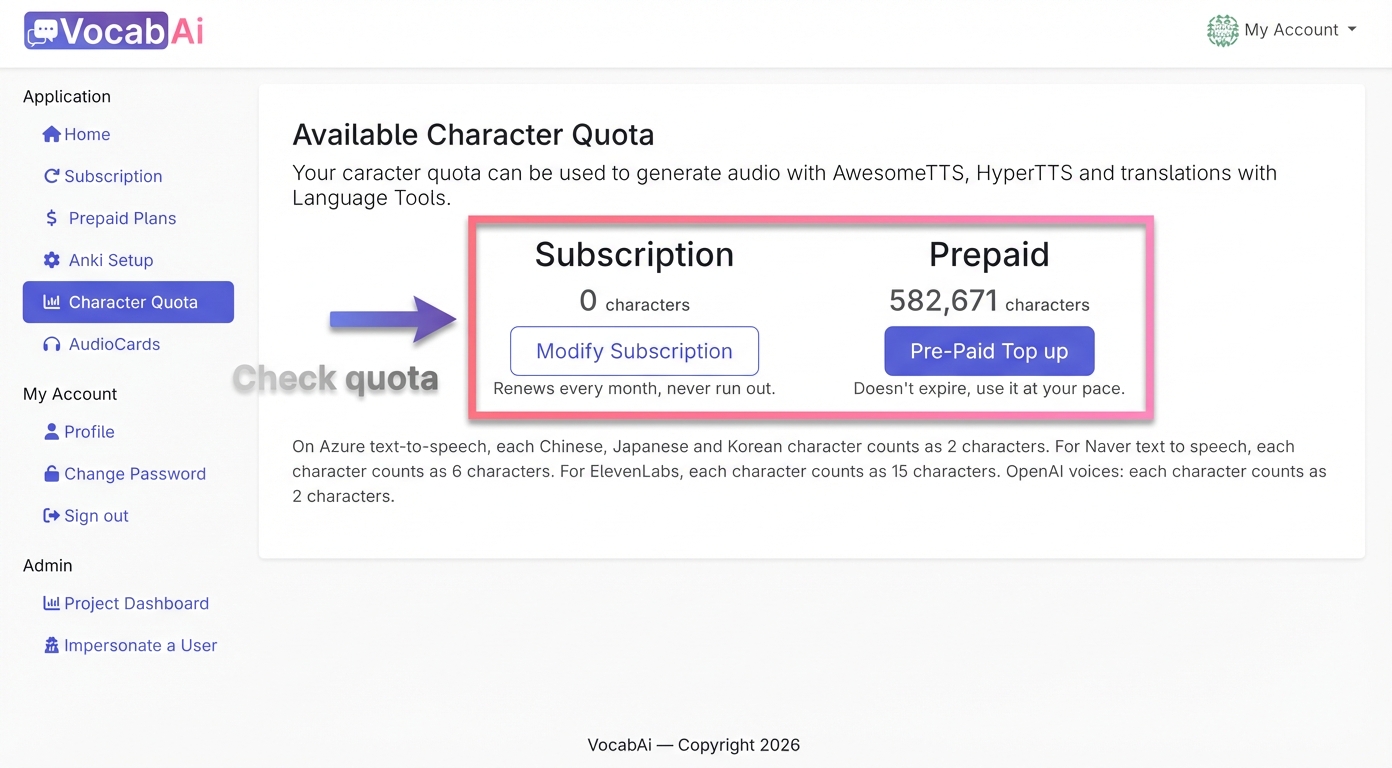
Head over to the Character Quota page to see how many characters you have remaining. You'll see your quota broken down by Subscription and Prepaid credits.
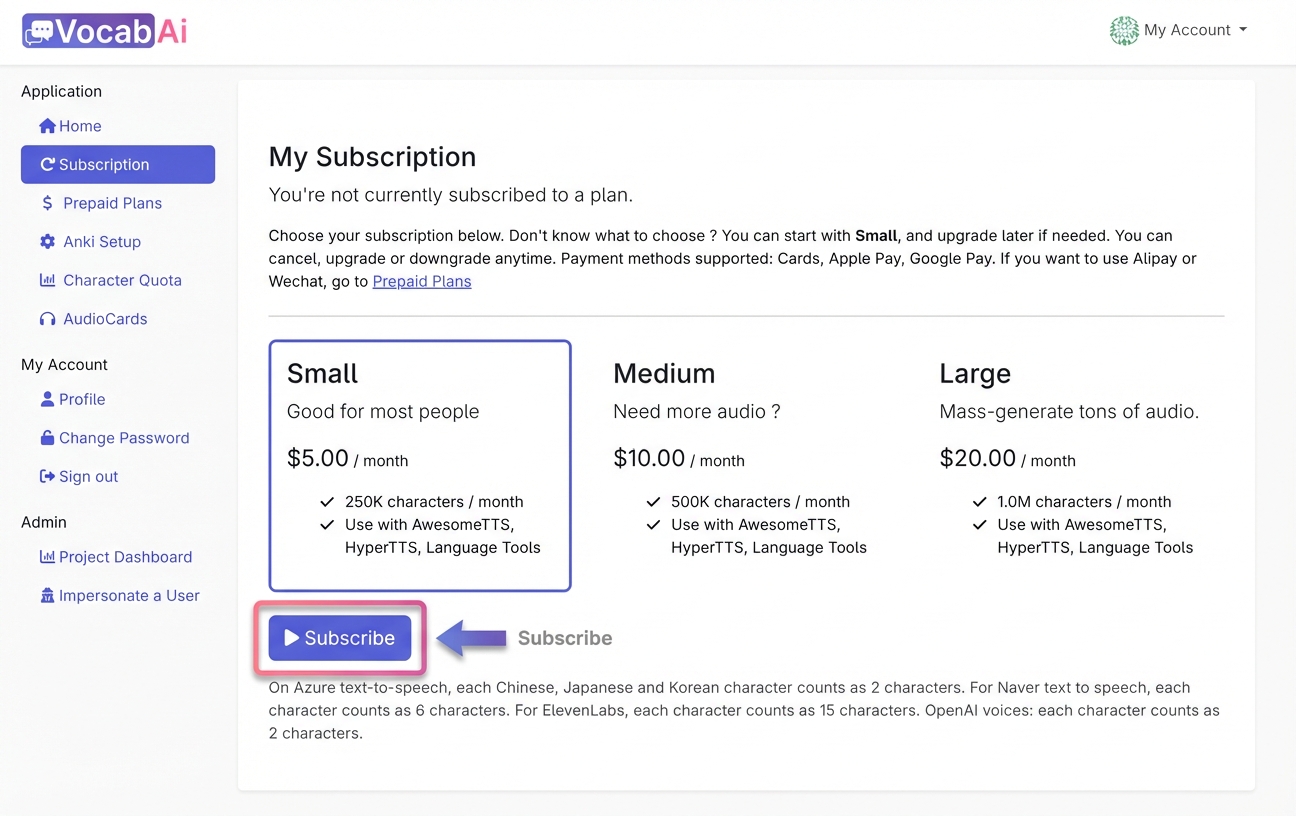
If you need a steady supply of characters each month, go to the Subscriptions page and choose a plan that fits your needs. Plans start at $5/month for 250K characters. Click the Subscribe button under the plan you'd like.
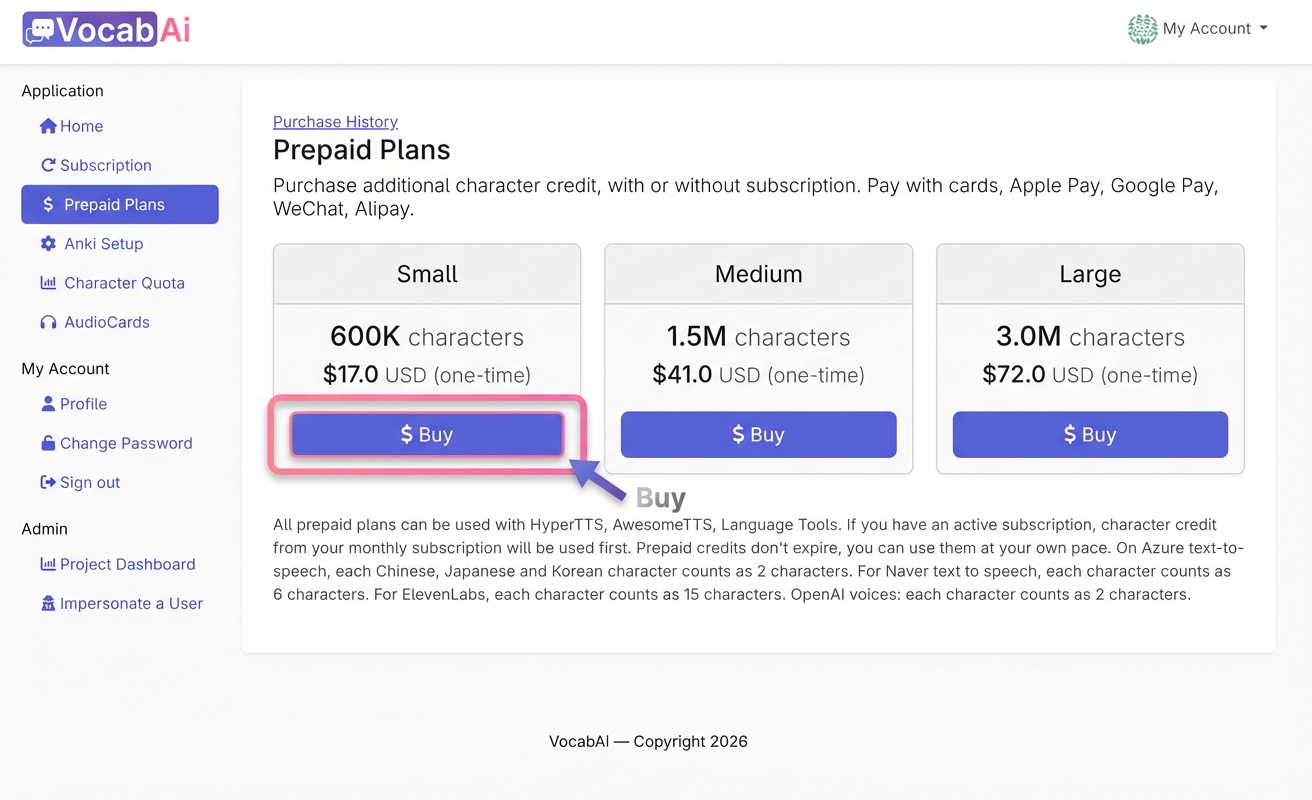
If you prefer a one-time purchase with no recurring charges, you can buy a prepaid character pack instead. Prepaid credits never expire. On the Prepaid Plans page, click the Buy button for the plan that suits you. The Small plan offers 600K characters for $17.
Once you've subscribed or purchased a top-up, go back to HyperTTS and try generating audio again — the error should be resolved.
March 2, 2026
Can't find what you're looking for ? Please email help@mail.vocab.ai or chat with us and I'll try to help you out as soon as possible.