
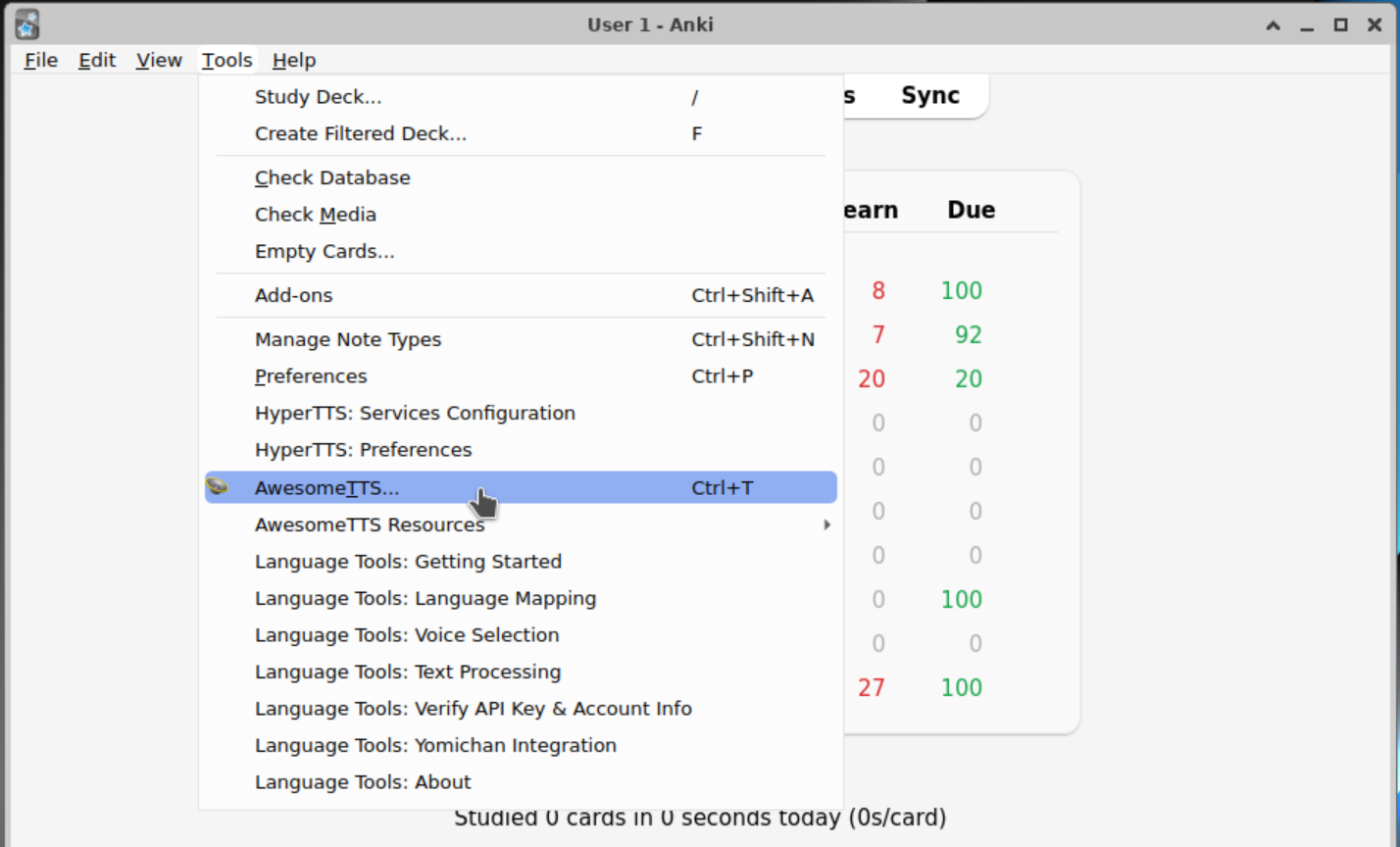
If you have an API key for AwesomeTTS Plus, maybe from a trial plan, or a paid plan, you can enter it in AwesomeTTS the following way: from the Anki deck browser, go to the Tools menu, then choose AwesomeTTS...
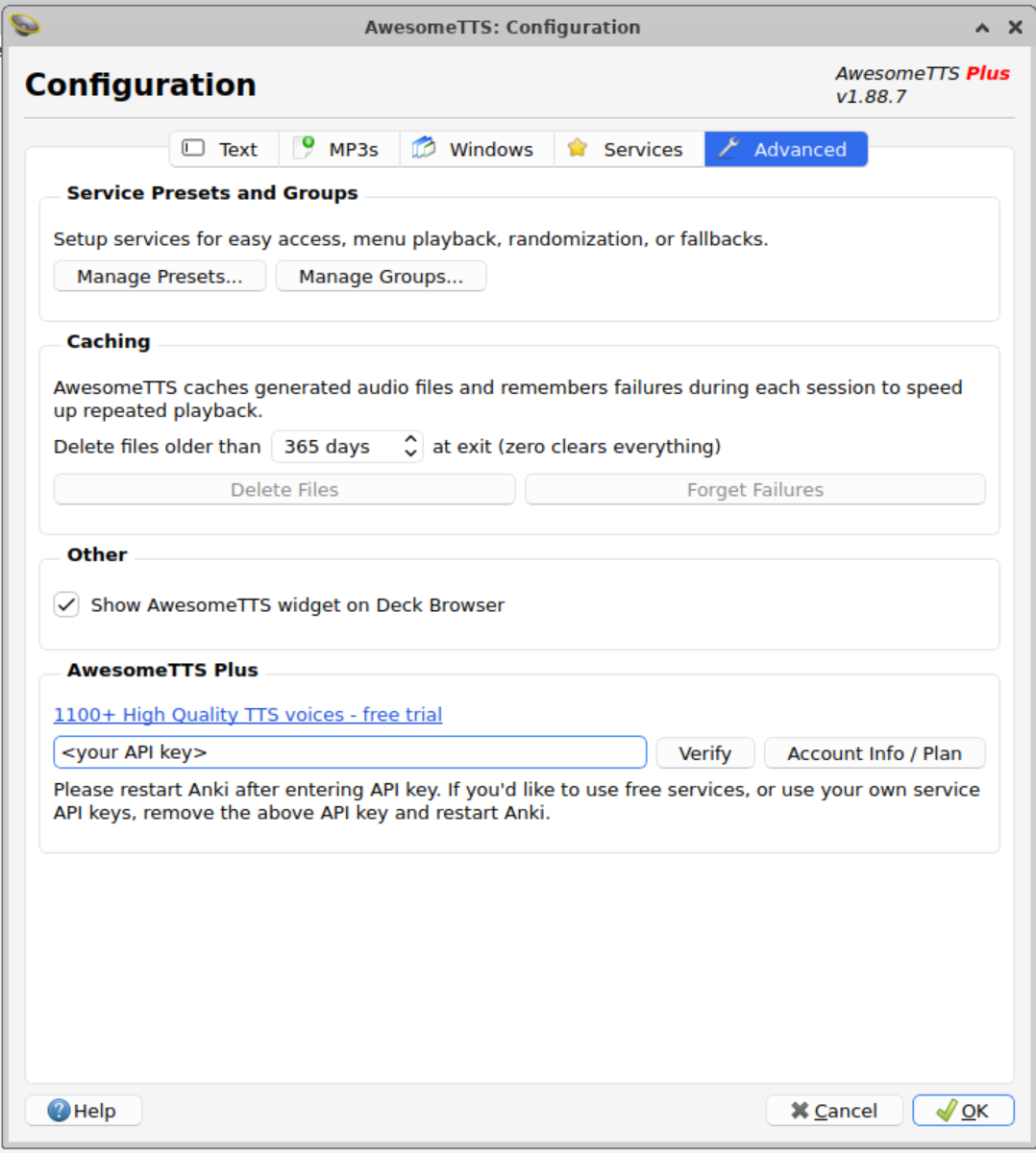
Then, go to the Advanced tab. At the bottom, you will see an AwesomeTTS Plus section. You can enter your API key in the text box, then click Verify, and OK. You may need to restart Anki after it's done.
If you'd like to remove the AwesomeTTS Plus API key, and go back to using free services, repeat the steps above and delete the API key in the AwesomeTTS Plus section, then click OK, and finally restart Anki. This will allow you to continue using the free services.
If you wish to use your own API key for Google Cloud or Azure (or any other service), first, remove your AwesomeTTS Plus API key as described above. Then restart Anki. Then, when you start generating audio, pick the service that you want. Then enter your API key in the appropriate section as seen in the screenshot below:

February 15, 2025
Can't find what you're looking for ? Please email help@mail.vocab.ai or chat with us and I'll try to help you out as soon as possible.